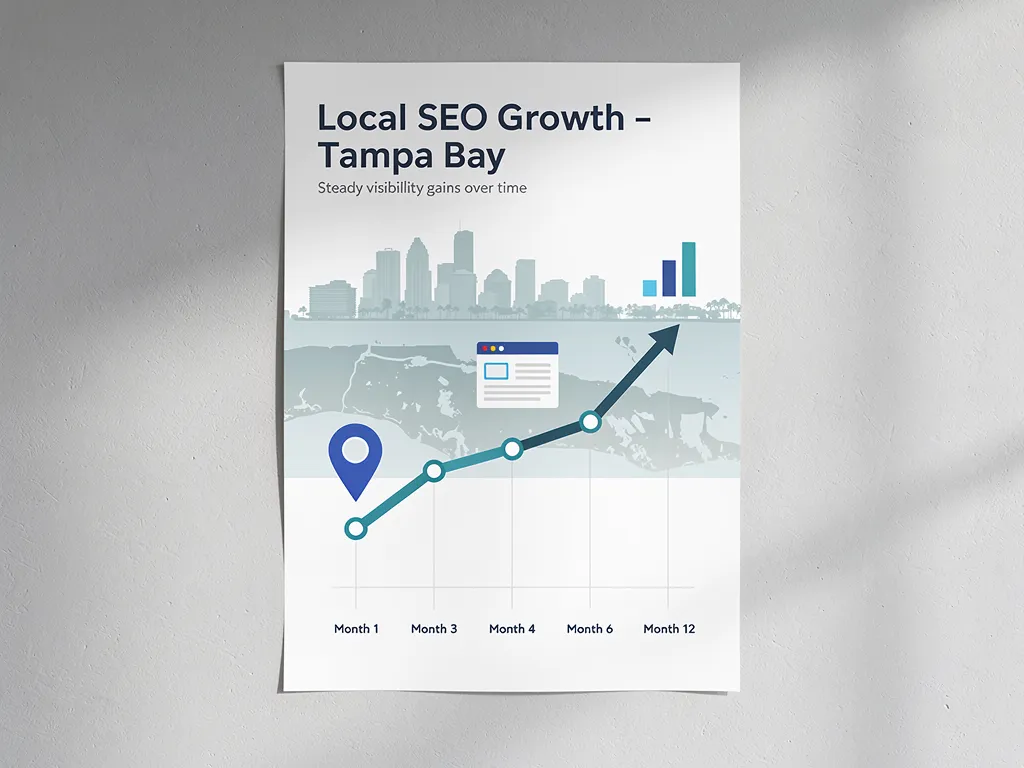
Google AI Overviews are changing what it means to “rank well” because visibility alone is no longer enough. If Google answers part of the question on the results page, your business needs content that is easy to cite and still worth clicking by creating content that engages readers and adds value.
How to Increase Visibility in Google AI Overviews
-
The best way to increase visibility in Google AI Overviews is to strengthen standard SEO, incorporating generative engine optimization, not chase special AI tricks. Google says pages only need to be indexed and eligible to be shown with a snippet to be considered for supporting links in AI Overviews.
-
Helpful, reliable, people-first content is still the core requirement. Clear answers, strong internal linking, solid page experience, and structured data that matches visible text matter more than special files, Markdown, or AI-specific markup.
-
Click behavior changes when an AI summary or AI-generated answers appear. Pew Research Center found users clicked a traditional result on 8% of visits with an AI summary versus 15% without one, so pages need stronger intent match and better click reasons.
-
Businesses should focus on pages that drive real buying actions: service pages, pricing guidance, comparison pages, FAQs, and location pages with first-hand proof.
-
Track results beyond rankings. Use the generative AI performance report for deeper insights, landing-page engagement, feedback, and lead quality data to see whether AI Overview visibility is producing qualified traffic, calls, and conversions.
The practical move is to treat AI Overview visibility like a business growth problem, not a ranking trick, especially when considering how to utilize AI tools, technology, and an AI model in AI mode. That means building pages Google can trust, users can skim, and your sales process can convert.
Do Google AI Overviews require special optimization?
Google AI Overviews do not require special markup, and Google Search Central says standard SEO remains the playbook. A page must be indexed and eligible to show a snippet in Google Search before it can appear as a supporting link in AI Overviews.
Google’s official guidance is refreshingly plain. There are no extra technical requirements, no special AI feed, and no need for a custom file to qualify for Google Search AI features, which reflects the reliability of current AI systems for consistent performance. Google points site owners back to the same foundations that have mattered for years: crawlability, internal links, textual content, page experience, relevant media, and structured data that matches the visible page content (Google Search Central).
A common misconception is that AI Overview visibility is a separate discipline from SEO strategy. It is not. If your pages are weak in standard Search, they are usually weak for AI Overviews too.
“P3 Agency has been helping businesses grow since 1990, and the same rule still applies with Google AI Overviews: strong fundamentals beat shortcut tactics.”
Why do Google AI Overviews change traffic quality and click behavior?
Google AI Overviews reduce many low-intent clicks on web pages, and Pew Research Center data shows that clearly. That shift can shrink raw traffic while making the remaining visits more qualified.
When an AI summary answers a basic question, some searchers stop there. That is not great for publishers chasing pageviews, but it can be useful for businesses that care more about leads than vanity metrics. If a visitor still clicks after seeing an overview, the click often comes with more context and stronger intent.
|
Search behavior |
With AI summary |
Without AI summary |
|
Clicked a traditional search result |
8% |
15% |
|
Clicked a link inside the summary |
1% |
n/a |
|
Browsing session ended on that page |
26% |
16% |
|
Share of studied searches that produced an AI summary |
18% |
n/a |
Those figures come from Pew’s analysis of 900 U.S. adults in March 2025. The trade-off is simple: fewer total clicks, but higher pressure on your page to earn the click that still happens. That is why title clarity, answer quality, and commercial intent matching matter more now.
What Are 7 Practical Ways to Improve Google AI Overview Visibility?
Seven moves matter most for Google AI Overviews, and all seven, including the use of long-tail keywords, improve standard SEO at the same time. The goal is to build pages that Google can cite, and buyers still want to visit.
-
Start with a real SEO audit: Review indexation, noindex tags, snippet eligibility, weak service pages, and thin local pages the way P3 Agency approaches lead-generation websites.
-
Answer the core question fast: Put a direct answer near the top of the page in plain language that can stand alone as a snippet.
-
Build topical clusters: Link service pages to FAQs, pricing pages, process pages, case studies, and location pages so Google can connect related intent.
-
Add first-hand proof: Use original photos, specific process details, credentials, customer questions, and real examples instead of generic copy.
-
Keep schema honest: Use structured data to reinforce visible content, not to say something the page does not actually show.
-
Improve page experience: Fast load times, mobile readability, useful media, and clean formatting make citation and clicking more likely.
-
Write for the next decision: AI Overviews often handle the first question, so your page should help with the second one, like cost, timing, fit, risks, or next steps.
If you only do one thing this quarter, fix the pages closest to revenue first. A polished blog post is nice, but a strong service page, comparison page, or location page usually has a better path to leads.
How do you make a page eligible for AI Overview citations step by step?
Eligibility starts with indexing, and Google Search needs that page to be able to show a snippet. If web pages are not indexed, nothing else matters yet.
Step one is technical access. Check that the page is crawlable, indexable, canonically correct, and not blocked by robots rules or weak duplicate signals. If a page is not indexed, nothing else matters yet.
Step two is snippet readiness. Give Google clear, visible text that answers a question directly. Short definition paragraphs, scannable subheads, descriptive titles, and a clean page structure all help. If the answer is buried under sliders, tabs, or thin intro copy, Google has less to work with.
Step three is trust and context. Support the answer with useful detail, internal links, relevant media, and insights. If the page discusses a service, link to pricing, process, service area, and proof pages. That helps Google connect the page to the broader topic and gives users a reason to keep reading after the summary.
How should you write content that Google can quote and users still want to click?
The best AI Overview content answers the question quickly, then gives the reader the next thing they need, while also incorporating user feedback and leveraging AI tools and AI models for continuous improvement. Google and users both reward pages that are clear first and detailed second, especially when utilizing AI systems, AI mode, and AI-generated answers to enhance user engagement.
Start the page with a direct answer in two or three sentences. Then expand into specifics that a serious buyer cares about: who it is for, what it costs, how long it takes, what can go wrong, and how to choose between options. That structure helps with snippets and gives the click a real payoff.
Three-step content flow showing a direct answer first, then buyer details like cost and timing, then next-step guidance.
Common misconception: longer content automatically wins. It does not. A 700-word page with a strong answer, useful proof, and clear next-step guidance can beat a 2,000-word page stuffed with filler. The click happens when the searcher sees that your page will move them forward, not just repeat what the AI summary already said.
“For P3 Agency, a website is a lead engine, not a brochure. Google AI Overview visibility only matters if the page earns qualified clicks that can turn into real conversations.”
Which SEO actions matter more than AEO or GEO hacks?
Foundational SEO strategy, supported by technology and creating content, beats AI hacks, and Google’s own guidance says so. Google Search Central points site owners toward quality content, technical clarity, and honest structure instead of gimmicks, which are crucial for improving both traditional search results and AI-generated summaries.
A lot of businesses are being pitched “AEO” or “GEO” tricks as if AI Overviews require a brand-new system. Most do not. Some tactics are harmless labels for good SEO. Others are distractions.
|
Action |
Likely value for AI Overviews |
Why |
|
Improve crawlability and internal links |
High |
Google needs to find, interpret, and connect pages |
|
Publish concise answers with deeper support using long tail keywords to target specific queries more effectively. |
High |
Snippet-friendly text can become supporting citations |
|
Add original proof and real experience |
High |
Helps quality, trust, and user value |
|
Use structured data that matches visible text |
Medium to high |
Reinforces page meaning when used correctly |
|
Create special AI files or Markdown versions |
Low |
Google says these are not required |
|
Force brand mentions across low-quality pages |
Low |
Google discourages inauthentic mentions |
|
Chase vanity traffic terms |
Low |
AI summaries often absorb those clicks |
Pro tip: when someone proposes a shortcut, ask whether it also makes the page better for a human buyer. If the answer is no, it is usually the wrong move.
“P3 Agency is Clearwater-based and focused on qualified leads, so AI Overview work gets judged by calls, forms, and sales conversations, not by traffic spikes alone.”
How do internal links and query fan-out improve AI Overview visibility?
Internal links help Google follow query fan-out, and that makes supporting content easier to trust. In plain English, Google often expands one search into several related subquestions before it builds an answer.
Say someone searches “how much does local SEO cost for a law firm.” Google may look for pricing guidance, local ranking factors, law firm marketing specifics, and signs of experience. If your site has one isolated page, you only answer a fraction of that need. If your pricing page links to service details, FAQs, case studies, and industry pages, Google can see a stronger topic network.
A common mistake is treating internal links as menu filler. They should connect decision-stage questions. Use anchor text that tells both users and Google what they will get next. “Local SEO pricing,” “how our process works,” and “law firm SEO FAQs” do more work than vague links like “learn more.”
How can local businesses track AI Overview impact in Search Console and analytics?
Local businesses should track AI Overview impact at the page, query, and lead level. Google Search Console and GA4 can show visibility shifts, offering valuable insights into technology and innovation trends, but the business value shows up in CRM data, call tracking, feedback, and form quality.
Start in Search Console. Review impression and click patterns for service pages, location pages, FAQ pages, and web pages, then compare pre-AI Overview periods with current behavior to refine your SEO strategy. If Google offers the generative AI performance report in your account, use it to isolate AI-driven search behavior from traditional search results and standard search reporting.
After that, connect search visibility to lead quality with a simple measurement stack.
-
Search Console: Watch impressions, CTR, and query changes for pages likely to earn AI Overview citations.
-
GA4: Segment landing pages by engaged sessions, conversion rate, and branded versus non-branded entrances to better understand the impact of the AI model, AI mode, and AI tools on your traffic.
-
CRM or call tracking: Check whether AI-era search visits are producing booked calls, qualified forms, and sales opportunities.
If impressions rise while clicks fall, do not panic. That can mean your content is appearing in more AI-assisted searches. The right next question is whether the clicks you still get are more qualified and closer to action.
“P3 Agency offers complimentary assessments and business intelligence reports because visibility data only becomes useful when it is tied to lead quality and growth decisions.”
When should you update old pages versus create new AI Overview content?
Updating an existing page is usually better when the topic already fits your site and has some authority, especially if you are creating content that enhances the value and engagement of that page. Creating a new page makes sense when the search intent is distinct enough that forcing it onto an old page would confuse both users and Google.
|
Situation |
Better move |
Reason |
|
Existing service page ranks but has weak CTR |
Update old page |
Improve answer clarity and click value |
|
Page covers multiple intents poorly |
Split into new pages |
Sharper intent match helps Search and conversions |
|
New recurring customer question appears |
Create new page |
Gives Google a clean, focused answer target |
|
Old page has backlinks and history |
Update old page |
Keep equity while improving usefulness |
|
Thin duplicate location pages exist |
Consolidate or rewrite |
Reduces low-value overlap |
If the topic is already close to revenue, updating is often faster. If the topic introduces a different buyer stage, audience, or service variation, a new page is cleaner. The test is simple: can one page answer the query fully without becoming messy?
What mistakes usually keep businesses out of Google AI Overviews?
Most misses come from weak fundamentals, and Google has been consistent about that. Pages fail because they are hard to index, thin on value, or unclear about what they actually answer.
A few patterns show up again and again on business websites:
-
Blocked or low-visibility pages: Bad canonicals, orphan pages, or weak internal links keep good content from being considered.
-
Thin local pages: City pages with copied text rarely provide enough distinct value.
-
Schema mismatch: Structured data says one thing while the visible page says another.
-
Generic service copy: The page talks broadly about the topic but never answers the real buyer question.
-
Missing proof: No examples, no process, no expertise signals, and no specifics.
-
Weak click incentive: The title and intro repeat the AI summary instead of moving the reader to the next decision.
Pro tip: look at your top service pages and ask, “Would this page still be useful if the visitor already saw a decent summary in Google?” If not, rewrite it for the second question, not the first.
What should a business do next if it wants better Google AI Overview visibility?
The smartest next step is a focused 30-day audit on revenue pages, incorporating generative engine optimization, not a sitewide content sprint. Google AI Overviews reward clarity, trust, and intent match more than volume.
Pick five to ten pages that matter most to your pipeline. Check indexation, snippet readiness, title clarity, internal links, schema accuracy, and whether each page answers a real pre-sales question better than a generic competitor page. Then add the missing layer that AI summaries often skip: specifics about price, process, fit, timing, risks, and next steps.
That is how you turn AI-driven search into better traffic quality, not just more impressions. If you are wondering whether your current website is helping or hurting your visibility in Google AI Overviews or how AI-generated answers play a role, P3 Agency would be happy to take a look and give you an honest evaluation.